Introduction
Software has become an essential part of modern life and business. From desktop applications and mobile apps to cloud platforms and online business systems, software helps people communicate, work, manage information, and complete everyday tasks.
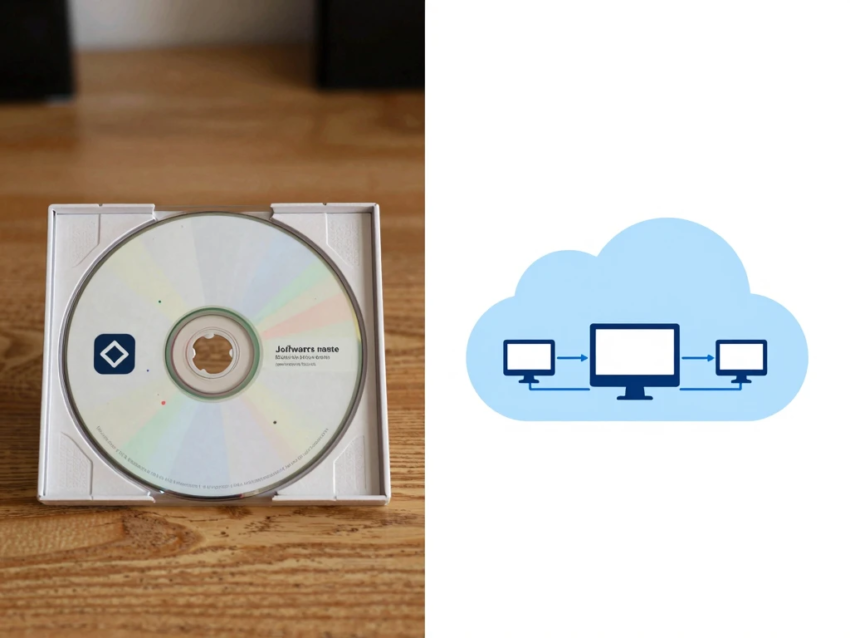
One of the biggest changes in the software industry has been the growth of Software as a Service (SaaS). Traditional software was often installed directly on computers or company servers, while SaaS applications are generally hosted by a provider and accessed through the internet.
This difference has changed how businesses purchase, deploy, maintain, and use technology.
Understanding software vs SaaS is important for companies that are deciding whether to use traditional software, cloud-based applications, or a combination of both.
This guide explains the key differences between software and SaaS, including their costs, benefits, security, accessibility, maintenance, scalability, and future role in business technology.
What Is Software?
Software is a collection of programs and instructions that tells a computer, smartphone, server, or other device how to perform specific tasks.
Software can include:
- Operating systems
- Desktop applications
- Mobile applications
- Business programs
- Games
- Security tools
- Development software
- Database systems
Software can be installed locally, hosted on private infrastructure, or delivered through cloud-based services.
For example, a word-processing application installed directly on a computer is software. A browser-based document platform is also software, but it may be delivered through a SaaS model.
What Is SaaS?
SaaS stands for Software as a Service.
It is a software delivery model where applications are hosted and managed by a provider and made available to customers through the internet.
Instead of installing and maintaining the complete application infrastructure, users typically create an account and access the software online.
Common SaaS characteristics include:
- Cloud hosting
- Subscription pricing
- Automatic updates
- Remote access
- Centralized maintenance
- Online storage
- Third-party integrations
SaaS is widely used for CRM, accounting, marketing, communication, project management, analytics, and cybersecurity.
Software vs SaaS: The Main Difference
The key difference is simple:
Software is a broad technology category, while SaaS is a method of delivering software.
Traditional software may be installed and managed by the customer.
SaaS is generally hosted and maintained by the service provider.
For example, a business might purchase a traditional application, install it on company computers, and manage updates itself.
With SaaS, the company might subscribe to an online platform and allow the provider to manage the application and underlying infrastructure.
Therefore, SaaS is software, but not all software is SaaS.
Traditional Software Explained
Traditional software is commonly installed directly on a computer, server, or private network.
Depending on the application, customers may be responsible for:
- Installation
- Updates
- Hardware
- Backups
- Security
- Maintenance
- Technical support
Businesses using enterprise software may also need dedicated IT professionals to manage servers and application environments.
Traditional software can provide significant control, but it can also require more technical resources.
How SaaS Works
SaaS applications are generally hosted by the provider on cloud infrastructure.
The typical process is:
- A SaaS provider develops the application.
- The provider hosts the software.
- Customers create accounts.
- Users select a subscription or service plan.
- Customers access the application online.
- The provider manages updates and much of the infrastructure.
This allows businesses to use software without building the entire technology environment themselves.
Software vs SaaS Pricing
Pricing is one of the most important differences.
Traditional software may require a significant upfront license payment.
Customers may also need to pay for:
- Upgrades
- Technical support
- Server infrastructure
- Maintenance
- Additional licenses
SaaS usually uses recurring pricing.
Common SaaS pricing models include:
- Monthly subscriptions
- Annual subscriptions
- Per-user pricing
- Usage-based pricing
- Tiered plans
- Freemium plans
SaaS can reduce initial costs, but recurring subscriptions can become expensive over time.
Businesses should compare the total cost over several years rather than looking only at the initial price.
Upfront Cost vs Recurring Cost
Traditional software often has higher upfront costs.
A company may need to purchase licenses and hardware before employees can use the system.
SaaS generally requires less initial infrastructure investment.
However, SaaS users continue paying for access as long as they use the service.
For this reason, businesses should consider both:
Initial cost + long-term operating cost
when choosing between software models.
Accessibility: Software vs SaaS
Accessibility is another major difference.
Traditional software may only be available on computers where it has been installed.
SaaS platforms can generally be accessed from multiple supported devices through an internet connection.
This is particularly useful for:
- Remote workers
- Hybrid teams
- Freelancers
- Distributed companies
- Businesses with multiple offices
Employees can potentially access the same platform from different locations without installing the complete software environment.
Software Maintenance
Traditional software can require significant maintenance.
Businesses may need to manage:
- Software updates
- Compatibility
- Server configuration
- Security patches
- Backups
- Performance
This can require internal IT expertise.
SaaS providers generally manage most application updates and infrastructure maintenance.
This can reduce the technical workload for customers.
Automatic SaaS Updates
One advantage of SaaS is automatic updating.
The provider can introduce:
- New features
- Bug fixes
- Performance improvements
- Security updates
without requiring every customer to manually install a new version.
However, automatic updates can sometimes change features or workflows, so organizations should still monitor important SaaS platforms.
Software vs SaaS Scalability
SaaS can be highly scalable.
Businesses can often increase their usage by adding:
- Users
- Storage
- Features
- Service capacity
Traditional software can also scale, but expanding an internally managed system may require additional hardware, licenses, and infrastructure.
For rapidly growing companies, SaaS can therefore provide greater flexibility.
SaaS and Remote Work
The growth of remote and hybrid work has increased the importance of cloud-based software.
SaaS platforms allow teams to collaborate using online tools for:
- Project management
- Video conferencing
- Messaging
- Document sharing
- Customer management
- Business analytics
Employees do not necessarily need to be in the same physical location to access shared business systems.
Software vs SaaS Security
Security is important for both traditional software and SaaS.
Traditional software can provide greater direct control over infrastructure.
Organizations may control:
- Servers
- Networks
- Access policies
- Data storage
- Security configurations
However, this also means that the company has greater responsibility for protecting the system.
With SaaS, the provider manages much of the infrastructure, but customers must evaluate the provider’s security practices.
Important SaaS security features can include:
- Multi-factor authentication
- Encryption
- Role-based access
- Audit logs
- Backup systems
- Security monitoring
Data Privacy and SaaS
SaaS platforms may process sensitive customer, employee, financial, or business information.
Before selecting a SaaS provider, organizations should understand:
- Where data is stored
- How data is protected
- Who can access it
- How long data is retained
- Whether information can be exported
- What happens when the subscription ends
Data privacy requirements can also vary depending on the business and geographic region.
Advantages of Traditional Software
Traditional software can provide several advantages.
Greater Control
Businesses can have more control over the software environment and infrastructure.
Offline Access
Some locally installed software can work without an internet connection.
Customization
Certain applications can be extensively customized.
Data Control
Organizations can choose to keep information on their own infrastructure.
Predictable Licensing
A perpetual software license may provide long-term value for businesses that use the same application for many years.
Disadvantages of Traditional Software
Traditional software also has disadvantages.
Higher Initial Investment
Licenses, hardware, and installation can increase upfront costs.
Maintenance Requirements
Organizations may need to manage updates and technical problems.
Infrastructure Costs
Servers and storage may be required.
Limited Remote Access
Remote access may require additional technology.
IT Requirements
Complex software can require specialized technical staff.
Advantages of SaaS
SaaS provides several important benefits.
Easy Deployment
Businesses can often begin using SaaS applications quickly.
Lower Infrastructure Requirements
The provider manages much of the underlying infrastructure.
Automatic Updates
Software updates are generally managed by the provider.
Remote Accessibility
Users can access supported services from different locations.
Scalability
Businesses can often adjust their plans as they grow.
Integration
Many SaaS platforms provide APIs and integrations with other applications.
Disadvantages of SaaS
SaaS also has limitations.
Recurring Subscription Costs
Businesses continue paying for access to the service.
Internet Dependence
Many SaaS applications require an internet connection.
Vendor Lock-In
Moving data and workflows to another provider may be difficult.
Service Outages
A provider outage can temporarily affect access.
Less Infrastructure Control
Customers generally have less direct control over the underlying servers and systems.
Software vs SaaS for Small Businesses
SaaS can be particularly useful for small businesses.
A small company can subscribe to online services for:
- Accounting
- CRM
- Marketing
- Communication
- Project management
- Human resources
- Customer service
This allows small companies to access powerful business technology without maintaining large internal IT infrastructures.
However, small businesses should regularly review their SaaS subscriptions to avoid paying for unnecessary services.
Software vs SaaS for Enterprises
Large organizations often have more complicated requirements.
Enterprises may need:
- Advanced security
- Custom integrations
- Compliance controls
- Data governance
- Extensive customization
- Dedicated support
Some enterprises choose traditional software or private cloud systems when they require greater infrastructure control.
Others use SaaS because of its scalability and easier deployment.
Many large organizations therefore use a hybrid software strategy.
Software Integration
Modern businesses rarely rely on one application.
They may use separate platforms for:
- Sales
- Accounting
- Marketing
- Customer service
- Human resources
- Analytics
SaaS integrations allow these systems to exchange information.
For example:
Website → CRM → Marketing platform → Analytics
APIs can help connect different applications and automate data transfers.
Strong integration capabilities can significantly improve business efficiency.
SaaS and Artificial Intelligence
Artificial intelligence is changing modern SaaS platforms.
AI-powered SaaS can provide:
- Content generation
- Data analysis
- Automated summaries
- Recommendations
- AI assistants
- Predictive insights
- Workflow automation
For example, a CRM platform may use AI to summarize customer conversations and suggest follow-up actions.
This is transforming SaaS from simple software into more intelligent business technology.
AI Agents and SaaS
AI agents could make SaaS even more powerful.
Instead of manually performing multiple actions, users may eventually give an AI agent a broader goal.
For example:
“Review this week’s sales data and prepare a report highlighting the biggest changes.”
An AI-enabled SaaS platform could potentially collect approved information, analyze it, create a report, and prepare it for human review.
The level of automation depends on the platform and permissions provided.
Which Is Better: Software or SaaS?
Neither option is universally better.
SaaS may be better when:
- Fast deployment is important.
- Employees work remotely.
- Automatic updates are preferred.
- Cloud access is required.
- The company wants flexible scaling.
- Internal infrastructure is limited.
Traditional software may be better when:
- Maximum infrastructure control is important.
- Offline access is required.
- Extensive customization is necessary.
- Specialized security requirements exist.
- A company already has strong internal IT infrastructure.
Many businesses will benefit from using both approaches.
How to Choose the Right Solution
Businesses should consider several factors before selecting software.
1. Identify the Problem
Clearly define what the technology needs to accomplish.
2. Compare Costs
Calculate both upfront and long-term costs.
3. Evaluate Security
Review authentication, encryption, permissions, and data protection.
4. Check Integrations
Make sure the software works with existing systems.
5. Consider Scalability
Choose technology that can support future growth.
6. Review Data Portability
Make sure important business data can be exported if necessary.
7. Test the Platform
Use a trial or demonstration when available.
8. Consider User Experience
Employees should be able to learn and use the system efficiently.
The Future of Software and SaaS
The difference between traditional software and SaaS may become less obvious as cloud computing continues to develop.
Modern applications increasingly combine:
- Cloud computing
- Local processing
- Artificial intelligence
- Automation
- APIs
- Data analytics
- Edge computing
Software may operate across multiple environments rather than being completely local or entirely cloud-based.
AI agents could also become increasingly integrated into SaaS platforms.
Conclusion
Software vs SaaS is not really a comparison between two completely separate technologies. SaaS is a specific way of delivering software through cloud-based services.
Traditional software can provide greater control, offline access, and customization, while SaaS can provide easy deployment, remote accessibility, automatic updates, scalability, and reduced infrastructure requirements.
The right choice depends on factors such as cost, security, accessibility, customization, integration, data privacy, scalability, and business requirements.
For many modern businesses, SaaS provides an efficient way to access powerful digital tools without managing extensive infrastructure. Traditional software remains valuable when organizations need greater control or specialized functionality.
As AI, automation, cloud computing, and AI agents continue to evolve, SaaS platforms are becoming increasingly intelligent and capable.
Ultimately, businesses should choose technology based on the problem they need to solve rather than simply choosing the newest or most popular solution.
The best software solution is the one that delivers reliable performance, protects business data, fits existing workflows, supports future growth, and provides measurable value.